Free · Open source · Windows 10 & 11

Your PC, fast again.
Honestly.

YUMRAM keeps your RAM free and your CPU fair, checks your PC's health, cleans up disk space and removes programs completely. No ads, no account, no tracking, and no fake numbers.

Installer or zip · for Windows 10 and 11 · GPL-3.0 open source.

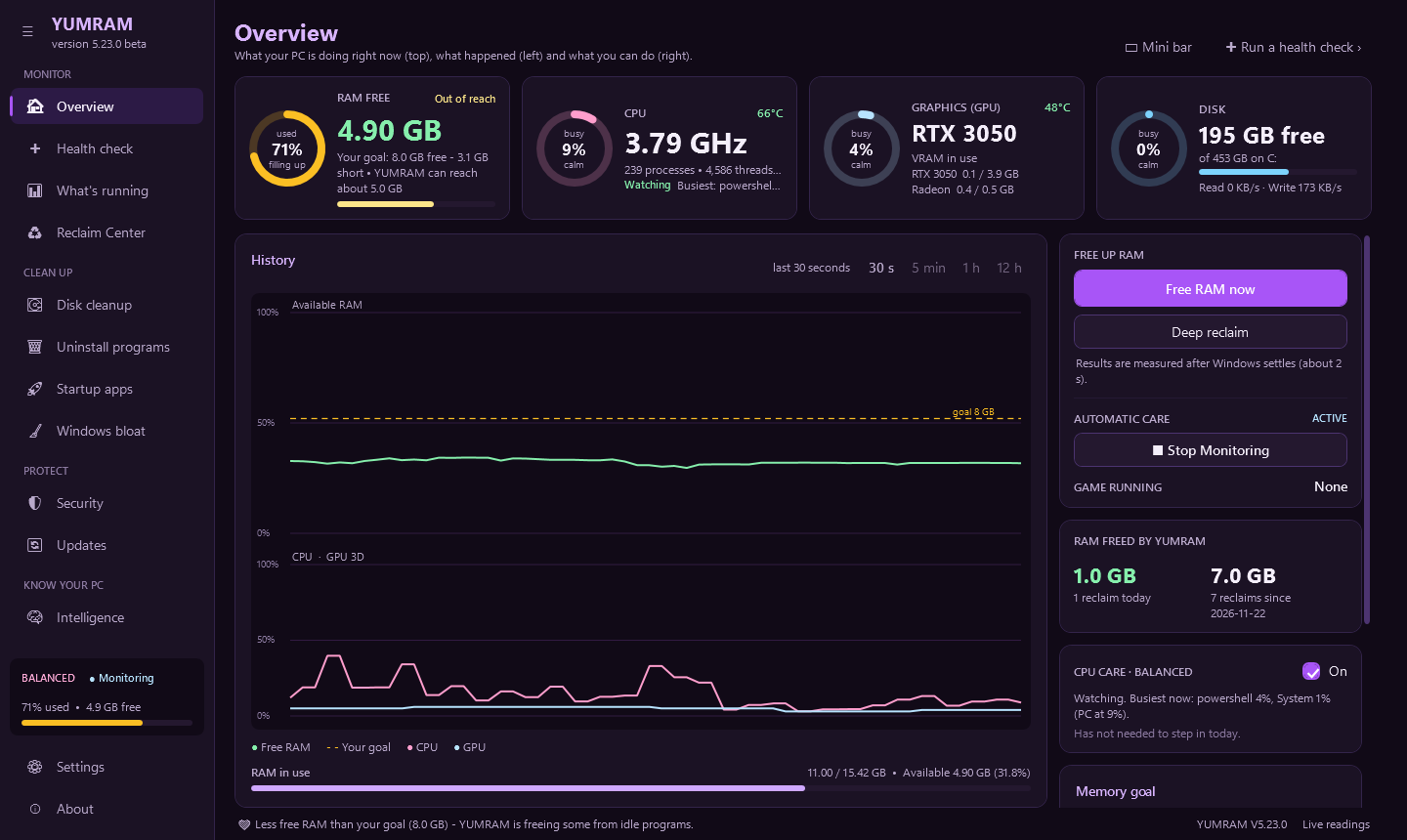
YUMRAM Overview page: RAM and CPU rings, usage graph and one-click reclaim
Why I made YUMRAM

I built it for my wife 💜

She isn't a "computer person", and she shouldn't have to be. When her PC got slow she'd open Task Manager and find a wall of strange names: What is this? Why is it running? Is it safe? Nobody gave her a straight answer, and the "PC cleaner" apps she found either scared her with fake warnings or wanted a subscription.

So I made something to keep her PC clean, fast and safe, and to explain everything in plain words, as best it knows: what each program and service is, why it's running, and whether it's safe to touch. Nobody who isn't into computers should have to worry about theirs.

YUMRAM stands for Yume's Ultimate Machine Rescue And Maintenance. · BigManJer, founder of BMJ Software
Everything your PC needs. Nothing it doesn't.

One app instead of five. Each tool explains what it's doing in plain words before it does it.

🧠

RAM that stays free

Pick how much memory should stay available. YUMRAM keeps it there by trimming only idle programs, never your game or what you're using.

❤️‍🩹

One-click health check

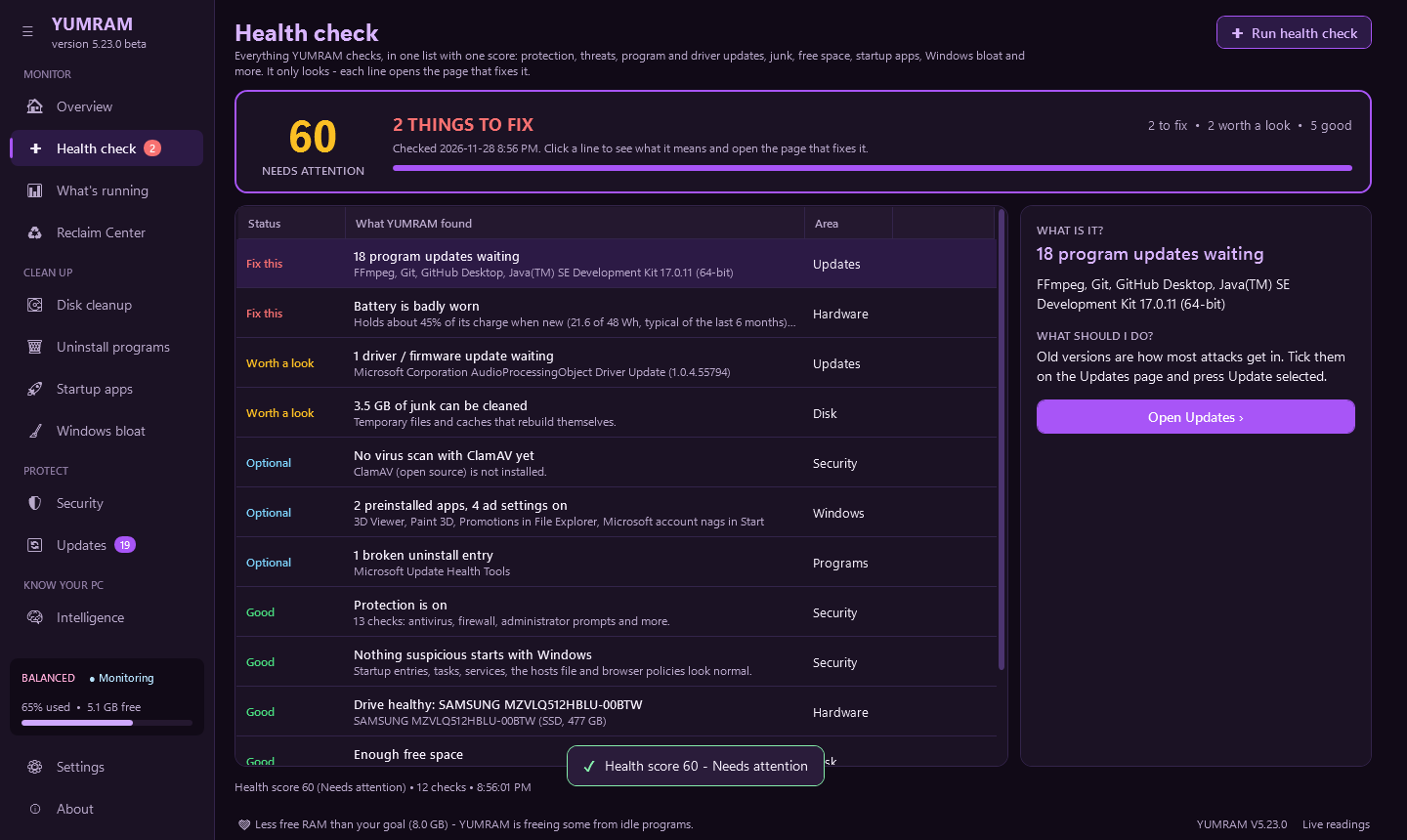
Drives, battery wear, temperatures, startup load and Windows settings, scored and explained.

🧹

Disk cleanup

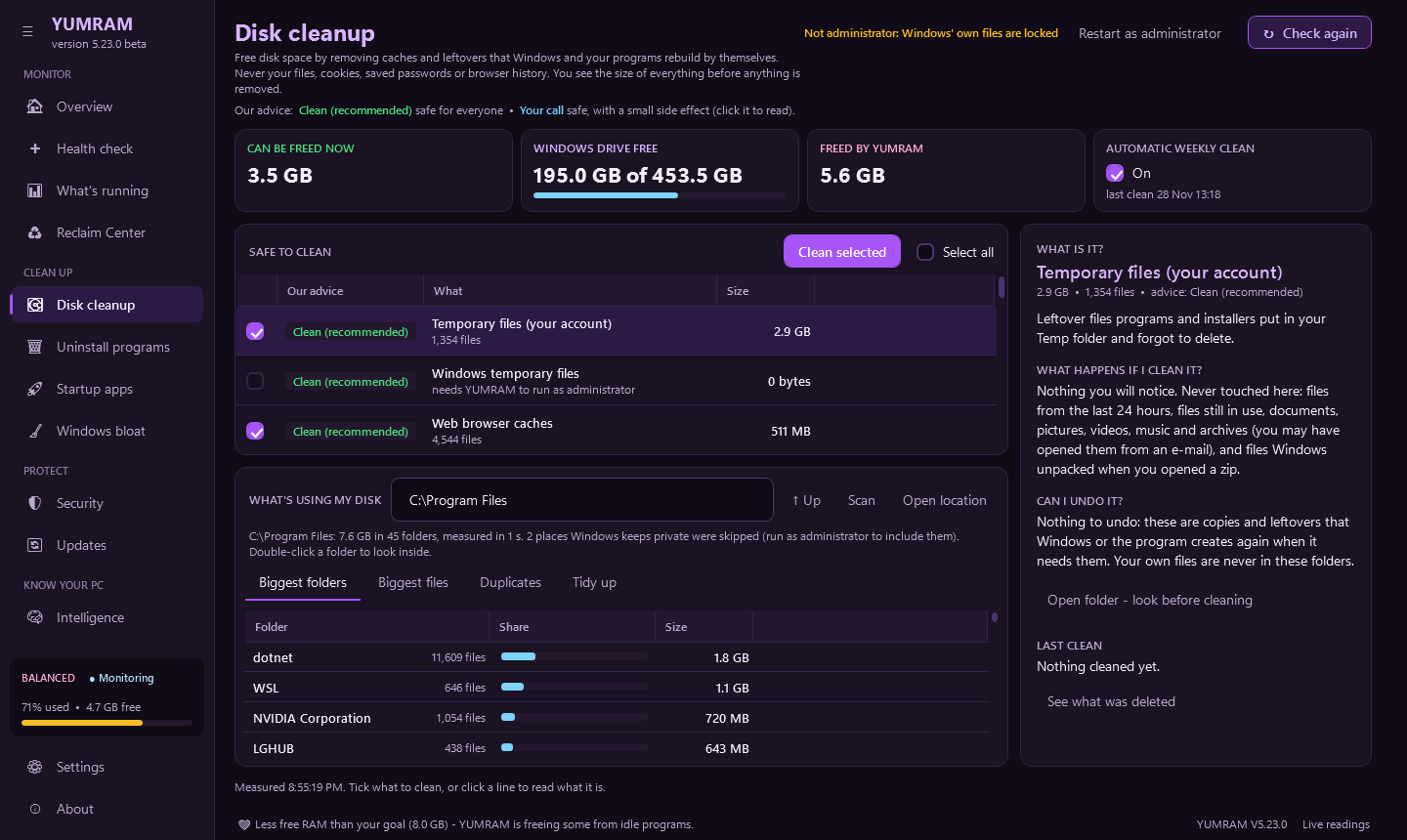
Finds junk, caches and duplicates, shows you the list first, and never touches your documents.

🗑️

Uninstaller

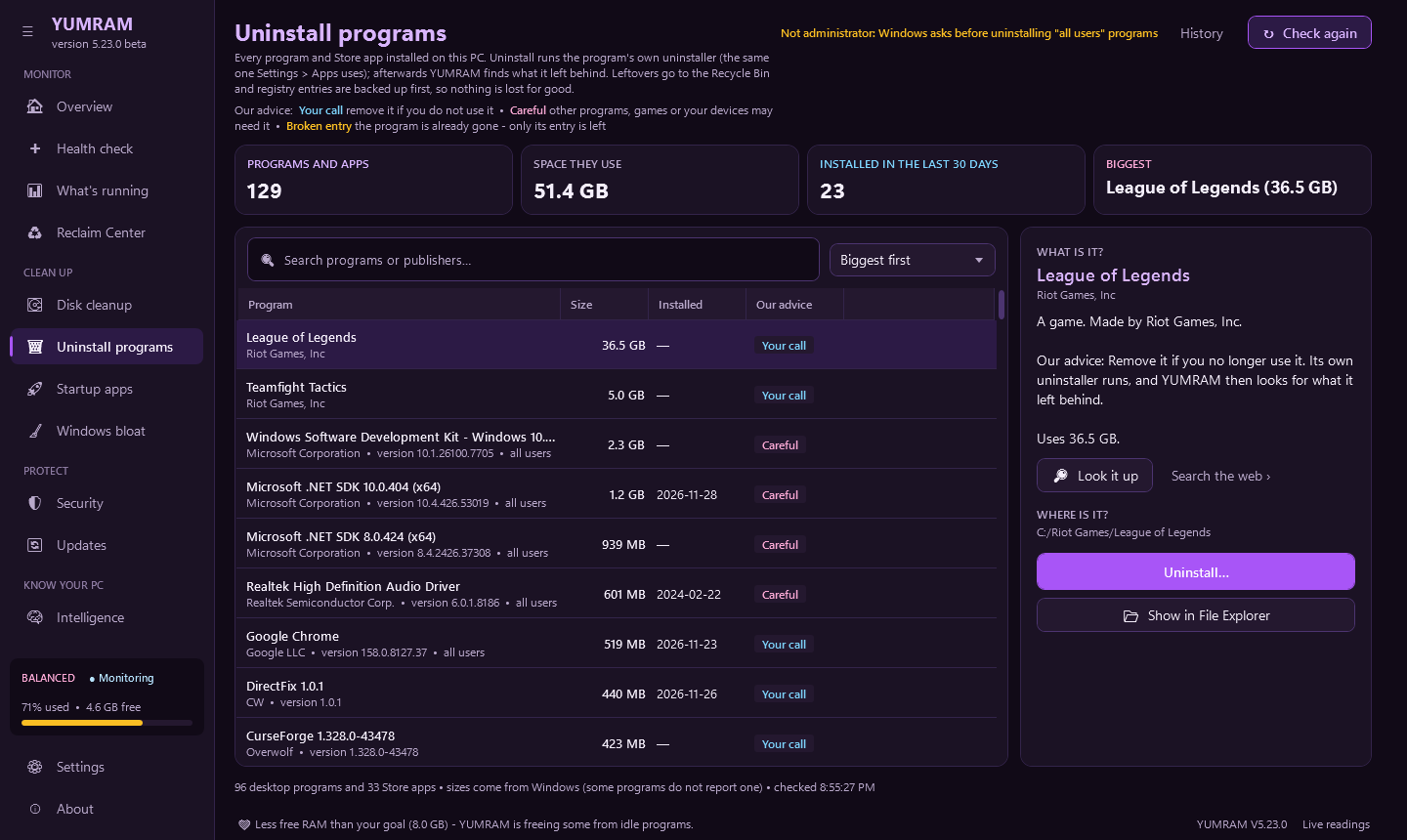
Removes programs and the leftovers they leave behind, and tells you what each program is before you remove it.

🛡️

Security

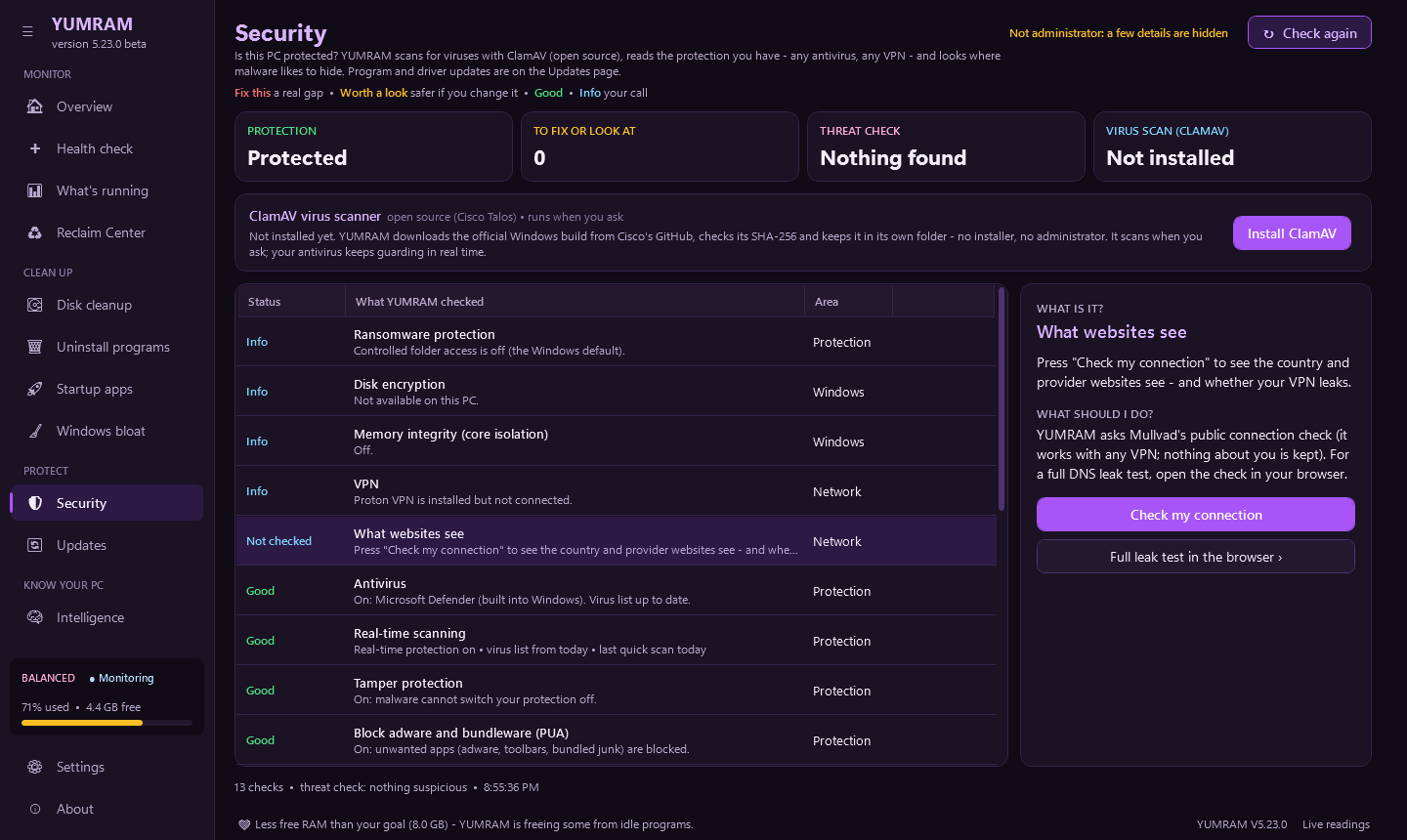
Built-in ClamAV scanning, browser extension audit and privacy checks. Open-source protection you can verify.

🎮

Game-aware CPU care

Gives your game or app the CPU first and keeps background programs from stealing frames.

See it in action

Real screenshots from the current version.

Health check page
Health check: your PC's score and what to fix first.
Disk cleanup page
Disk cleanup: see exactly what will be removed.
Uninstaller page
Uninstaller: every program explained, leftovers cleaned.
Security page
Security: ClamAV scan, extensions and privacy checks.

Why YUMRAM is different

Most "PC boosters" flush your memory, show a big number and ask for money. We think you deserve better.

YUMRAMTypical "PC booster"
PriceFreeFree trial, then subscription
ResultsMeasured: the RAM Windows really gave backBig numbers that don't help
Ads & upsellsNonePop-ups and "critical issues"
TrackingNone (read the privacy policy)Usage analytics, often sold
Source codePublic on GitHub (GPL-3.0)Closed

Get YUMRAM

Download from GitHub, the official home of every release. Each release lists SHA-256 checksums so you can verify the file.

Windows may show "Windows protected your PC" because the installer isn't code-signed yet (we're working on it). Click More info → Run anyway, or use the zip.

Frequently asked questions

Is YUMRAM safe to use?

YUMRAM never touches Windows core processes, security software, drivers, your game or the window you're using. Memory trimming doesn't close anything: Windows simply loads pages back when a program needs them. Every tool explains what it will do before it does it, and the full source code is public on GitHub.

Why does Windows say "Windows protected your PC"?

That's Microsoft SmartScreen. It appears for new programs that aren't code-signed yet. We're working on code signing. Until then, click More info → Run anyway, or download the zip. You can also check the file with the SHA-256 checksum published on every release (see below).

Is it really free? How do you make money?

Yes. No trial, no ads, no upsells, no "pro" version holding features back. BMJ Software is funded by people who choose to support us.

Does YUMRAM collect my data?

No. There's no tracking or analytics. Our privacy policy lists every website YUMRAM contacts (like the update check) and exactly what is sent.

Will it make my PC faster?

If your PC runs low on available memory or a background program steals CPU, yes, and YUMRAM shows you measured results instead of guesses. If your PC already has plenty of free memory, YUMRAM will tell you that too.

Which Windows versions are supported?

Windows 10 and Windows 11.

How do I uninstall it?

Like any other app: Settings → Apps → Installed apps → YUMRAM → Uninstall.

I found a bug or have an idea. Where do I go?

Bugs: GitHub Issues. Questions and ideas: GitHub Discussions. Or email bmjsoftware+yumram@gmail.com.

Verify your download

Every release lists a SHA-256 checksum in SHA256SUMS.txt. To check your file, open PowerShell in your Downloads folder and run:

Get-FileHash .\YUMRAM-Setup-x.y.z.exe -Algorithm SHA256

The result must match the line for that file on the release page. If it doesn't, don't run it, and please tell us.

Keep YUMRAM free 💜

YUMRAM is made by BMJ Software, a small independent studio. There are no ads and no data to sell, so the only thing that keeps it going is people like you.

Every dollar goes straight into YUMRAM, in this order:

  1. Goal 1, $20: our own domain. A proper home for YUMRAM instead of a github.io address.
  2. Goal 2: code signing. So Windows stops showing "Windows protected your PC" to new users.
  3. Then: new features, and keeping everything free.

Support BMJ Software

Goal 1: $0 of $20 raised. Any amount helps!


💜 PayPal More ways to give

Can't donate? A ⭐ on GitHub or telling a friend helps just as much.

About BMJ Software

We make fast, clean, smart software, the kind we'd want on our own PCs. Our projects: YUMRAM and Mantis Studio.

🔒 Security

Report privately to bmjsoftware+security@gmail.com

✉️ Business

bmjsoftware@gmail.com